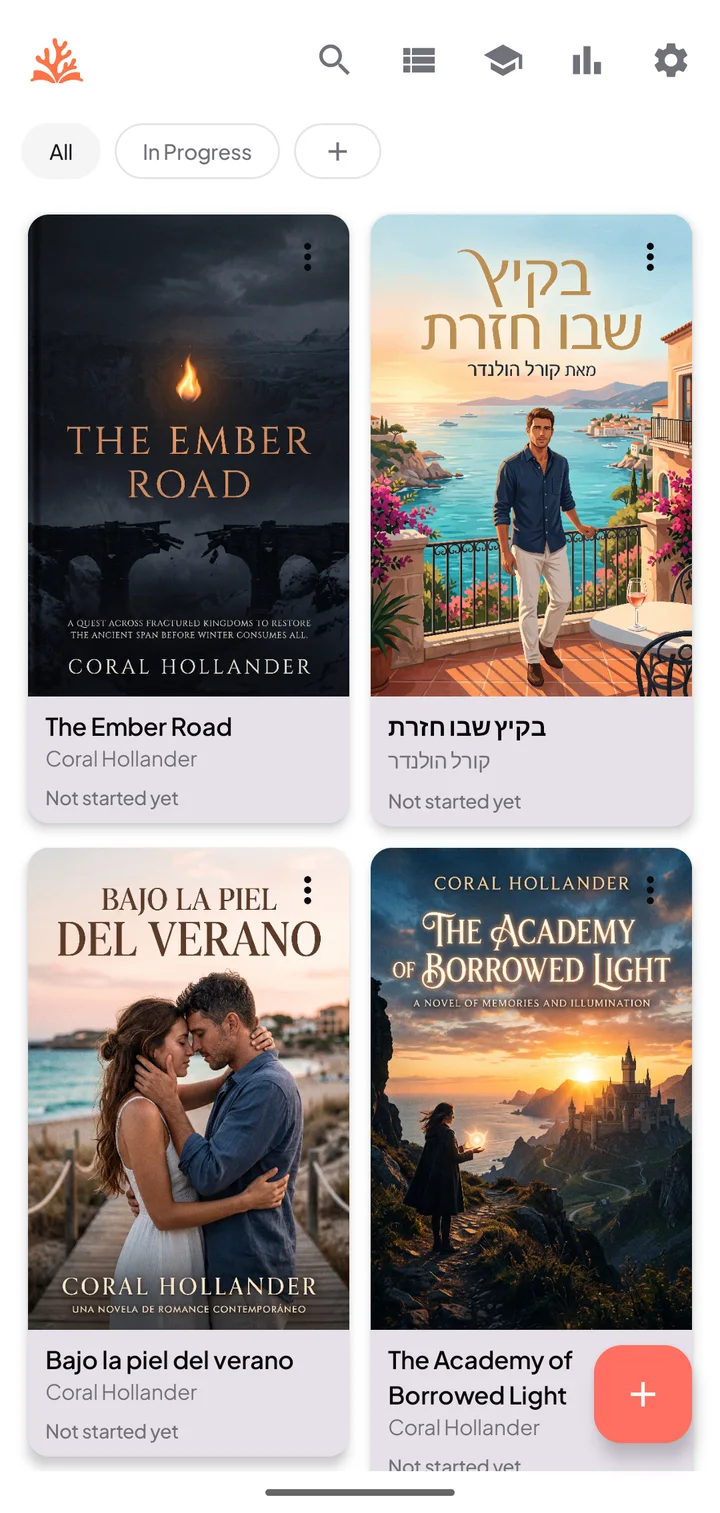
Clean library organization
Browse in grid or list view, group books into custom categories, see reading progress at a glance, and jump right back to your last page.
Android & iOS · No account required
Import your own EPUB, PDF, FB2, DOCX, ODT, Markdown, HTML, and TXT files into one calm library. No login wall, no cloud uploads, and live controls for every page.


At a glance
Coral Reader is an offline-first ebook and document reader for Android and iOS. Unlike store-locked reading apps, it requires no account, keeps your imported EPUB and PDF files on your device, and adds native right-to-left typography, on-device translation, vocabulary flashcards, and Read Aloud in one app.
| Capability | Coral Reader | Typical cloud ebook apps |
|---|---|---|
| Account required | No — import and read immediately | Mandatory sign-in / ecosystem lock-in |
| Book file storage | Stays on your device (offline-first) | Uploaded and synced to vendor servers |
| Supported formats | EPUB, PDF, FB2, DOCX, ODT, Markdown, HTML, TXT | Often limited to proprietary format or EPUB only |
| Reading modes | Paged, Scroll, or Mixed (horizontal & vertical) | Fixed single layout mode |
| RTL & Translation | Native Hebrew/Arabic RTL + offline on-device translation | Limited RTL or online-only lookup |
Browse in grid or list view, group books into custom categories, see reading progress at a glance, and jump right back to your last page.
Adjust bundled fonts, size, zoom, margins, line height, letter spacing, justified or ragged alignment, and screen brightness while viewing your actual page.
Drop page-accurate bookmarks, search inside books, open inline footnotes without losing your place, and highlight passages in yellow, blue, or pink with Coral Pro.
Explore more
Right-to-left page turns, typography, and direction-aware controls built from the ground up.
Explore RTL Reader →Long-press any word to translate on device, save it with its sentence, and practice offline.
Explore Read & Learn →Turn your EPUBs and documents into audio with sentence skipping, speed control, and a sleep timer.
Explore Read Aloud →Frequently asked questions
Coral Reader opens DRM-free EPUB, PDF, FB2, DOCX, ODT, Markdown, HTML, and TXT files on both Android and iOS.
No. Your imported files stay locally on your device. No account is required, and offline reading works completely without internet access.
Yes. You can download Coral Reader free on Google Play and the App Store, import books, customize themes and fonts, and use on-device translation. Coral Pro unlocks Read Aloud, highlights and notes, and unlimited library features.
Free to start · Android & iOS
Download Coral Reader and start reading your EPUB, PDF, and FB2 files in seconds.
Campaign measurement may not be available for this link on every store. You can still download the app.