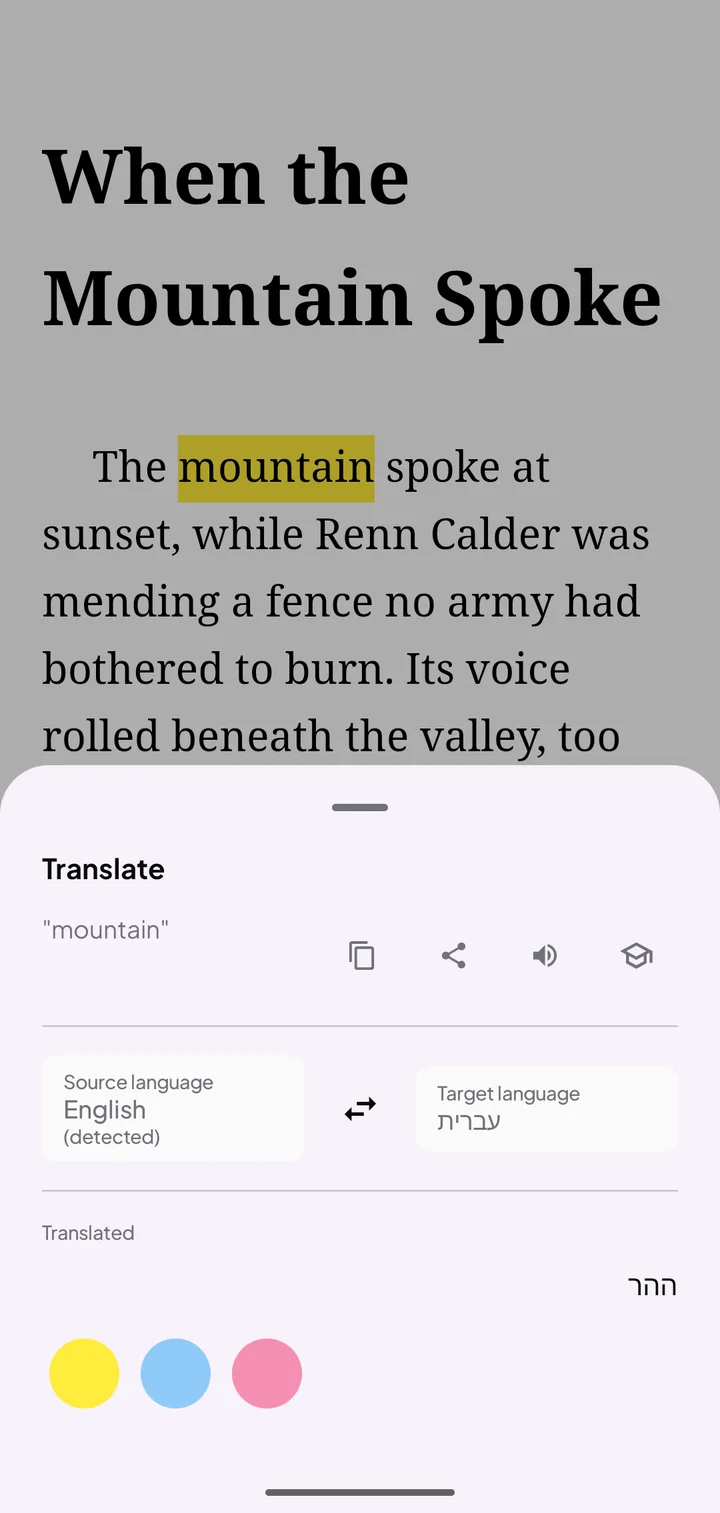
1. Long-press to translate
Select a word or sentence to see an instant on-device translation right over the page. Works offline once your language pair model is downloaded.
Immersion reading · Offline translation + FSRS
Switching apps to look up unfamiliar words kills reading flow. In Coral Reader, long-press any word or passage to translate on device, save it with its exact sentence, and master it with spaced-repetition quizzes.


The 3-step word journey
Research on second-language acquisition shows that encountering words in real stories—and reviewing them with spaced repetition—beats isolated word lists. Coral Reader connects the book page directly to your personal vocabulary deck without copying text into a separate flashcard app.
Select a word or sentence to see an instant on-device translation right over the page. Works offline once your language pair model is downloaded.
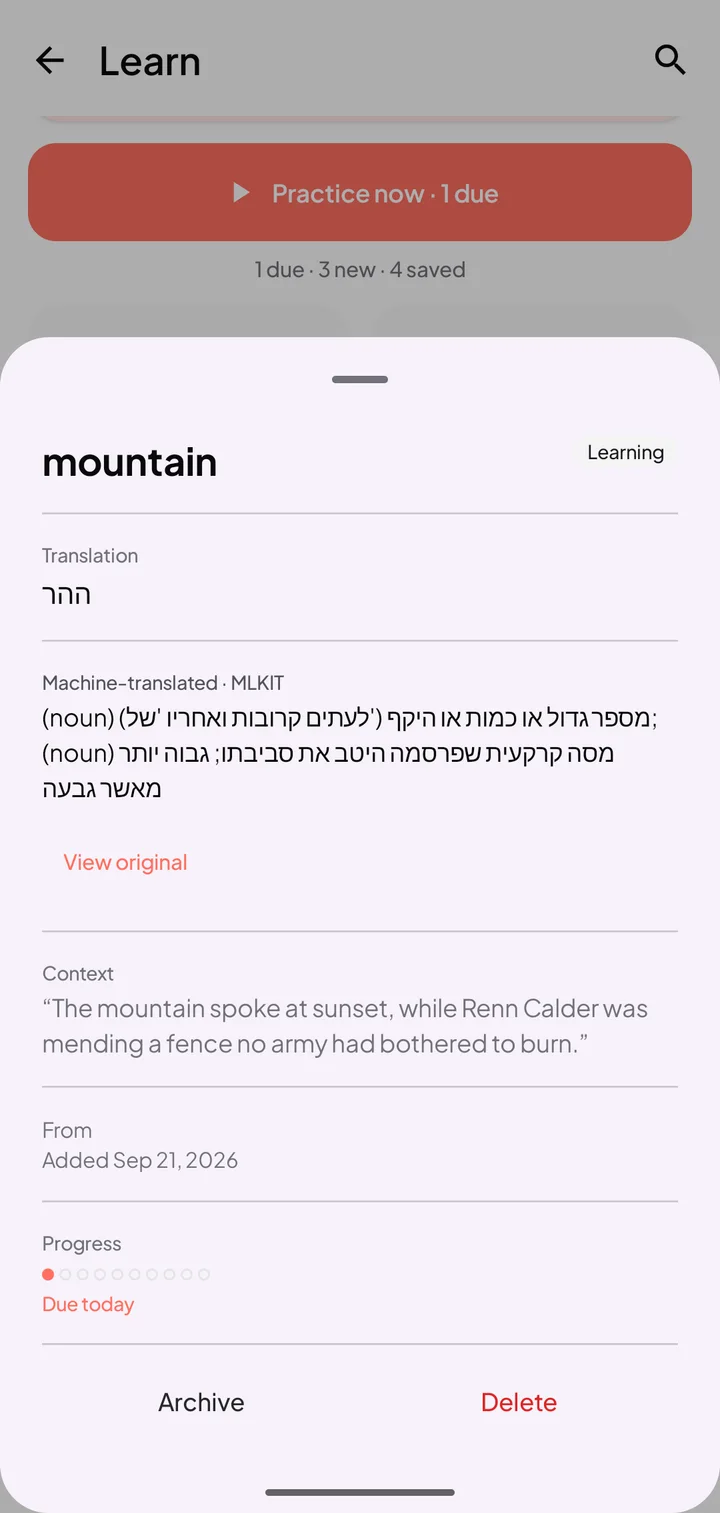
One tap saves the word, its translation, an offline English dictionary definition, and the exact sentence from the book so you always remember how it was used.
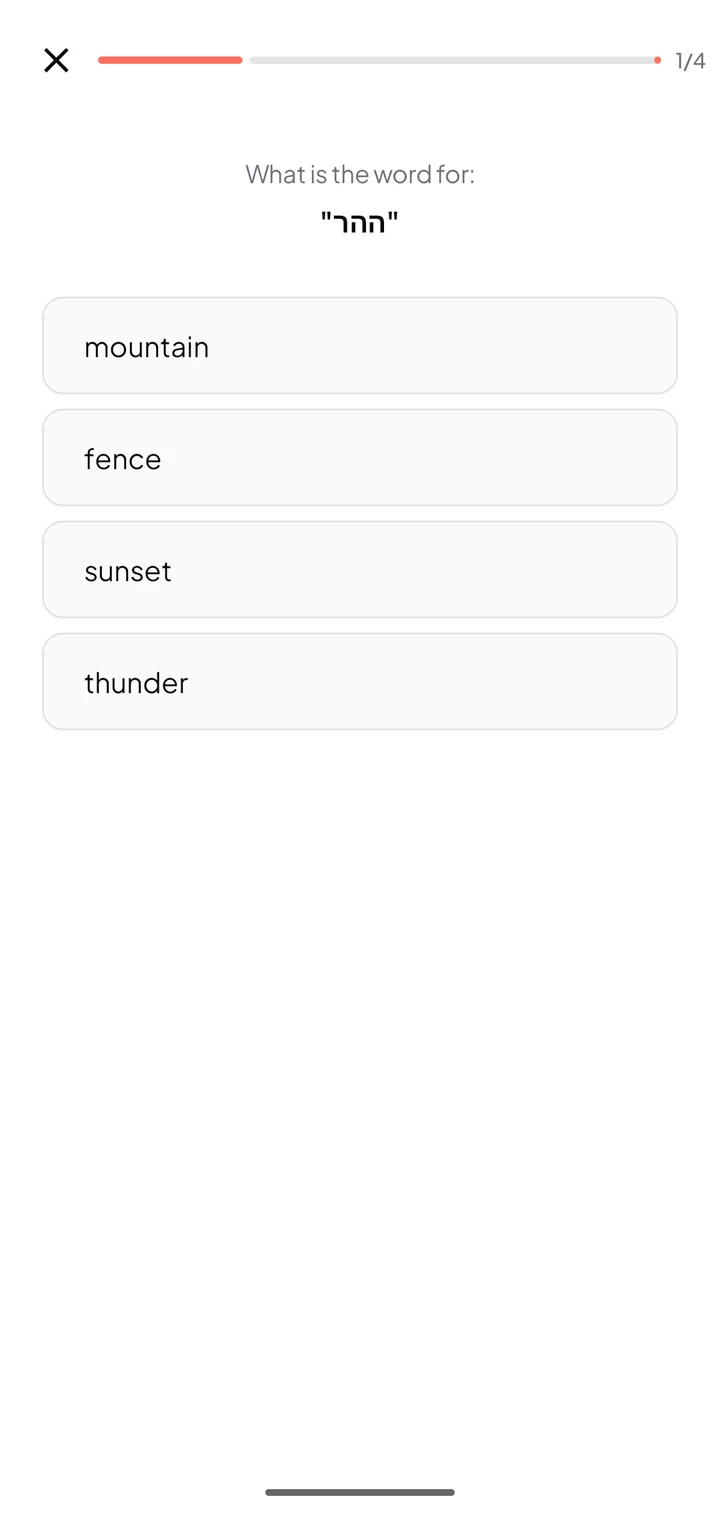
Review offline with adaptive quizzes—multiple choice, typed recall, and contextual fill-in-the-blank—scheduled by FSRS spaced repetition.
See the learning screens
Every saved word tracks your mastery stage from New to Mastered alongside its source sentence.
Short daily review sessions help you retain words you actually encountered in books you care about.
Related guide
A practical guide to choosing your first foreign-language EPUB, using instant translation without breaking flow, and reviewing vocabulary effectively.
Read the guide →Illustrated English stories with read-along narration and playful vocabulary practice for young learners.
Explore Kids Club →Free to start · Android & iOS
Download Coral Reader and start reading in your target language with offline translation and vocabulary practice.
Campaign measurement may not be available for this link on every store. You can still download the app.